|
|
|
NOTE: If you are using the VISTA operating system, you must right click and select
"Run as administrator" immediately after initial installation. Otherwise, you will receive an error message
and not be permitted access to the program. NOTE: You only have to do this during the initial
installation.
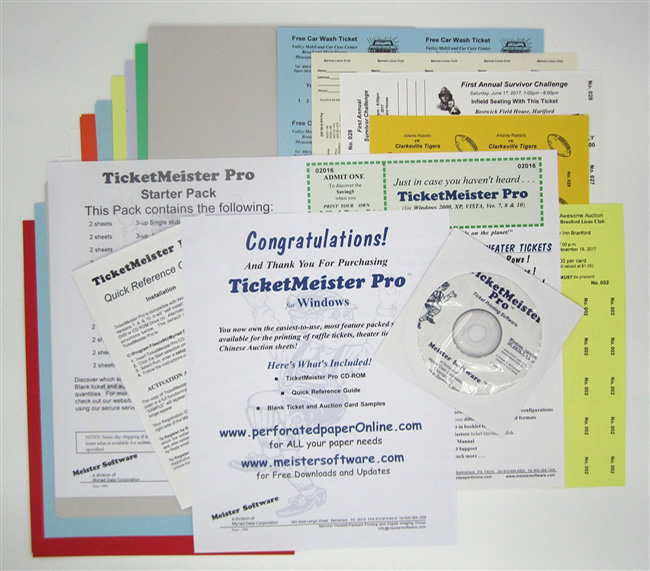
File Name: tmpro_update.exe File Size: 12.7 mb Version: 1.00.0008: 05/27/2008 Update Chronology: Version 1.00.0008: Print Setup modified to accomodate different landscape rotations of printer drivers. Version 1.00.0007: Modified the white backround effect of text fields when layering with image fields. Version 1.00.0006: Added the new 3-up, 1 stub, 8 1/2" x 11" format and the 6-up, 1 stub, 8 1/2" x 11" format. Version 1.00.0005: Modified to accommodate Microsoft's VISTA operating system. Version 1.00.0004: Memory management enhancement feature that addressed possible printing stalls found with certain "all in one" printers. Version 1.00.0003: Incorporated fixes for anomalies found with certain drivers on older printers. Overview: The TicketMeister Pro update will automatically update an older version of TicketMeister Pro that is already installed on the receiving PC. NOTE: If you are using the VISTA operating system, you must right click and select "Run as administrator" immediately after initial installation. Otherwise, you will receive an error message and not be permitted access to the program. NOTE: If there is not a registered version of TicketMeister Pro already resident on the receiving PC, an evaluation copy like that above will be installed instead. System Requirements: 2000, NT, XP or VISTA Installation: 1. Click here to start the Download for your TicketMeister PRO Update 2. Click Save or Save this program to disk to copy the download onto your computer for installation. Once downloaded, double-click the file and the Update will begin to install itself. The update will recognize an already existing version of TicketMeister PRO if installed in the default directory (C:\Program Files\Myriad Data Corp\TMPro). NOTE: When first activating the newly downloaded version, you will be asked whether you want to use your old data files or accept the sample templates that came with the original program. This first use of the update is the only time you will have the opportunity to import your old files so make certain you respond appropriately. |